
Showing posts with label Everyday Tools. Show all posts

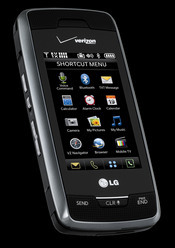
Protect Your Smartphones with BullGuard Mobile Antivirus

Recently in the news, sophisticated and costly scams have been revealed, where unknowing users have had their devices hijacked remotely to dial premium rate numbers or send mass SMS and MMS messages fraudulently creating exorbitant bills.

Mobile devices can be infected with malware via email, Bluetooth connections and MMS messages, which can then be used to forward infected files to personal contacts, or transfer malicious code to a user’s PC upon connection. Another common source is through the downloading of programs and apps from unreliable sources.

Smartphones and pocket PCs are now more popular than ever, prompting an increase in online malware aimed at the operating systems of these devices appearing. This malicious software can be used to:

Steal or delete confidential or personal information (e.g., address book)

Disable functions (SMS, games, camera, etc.) or completely disable the whole device

Deplete the phone’s battery at a faster rate than normal

Forward infected files to people under your name (via email, WiFi, Bluetooth, etc.)

Transfer malicious code from the smartphone to a PC upon connection.

Smartphones are now as susceptible to viruses, worms and Trojans as PCs, so users should now be seeking anti-virus software protection.

Bullguard Mobile Antivirus runs on Windows Mobile and Symbian Series 60 & UIQ 3.0 operating systems, with multiple language versions available. The software performs the same functions as PC anti-virus software to protect against malicious programs that target mobile platforms.

The software package is optimized for mobile devices, with a very simple user interface and easy navigation as necessary for a small screen.

Anti-virus protection is provided by the following features:

On-Access Scanning

All incoming or modified SMS, MMS and email items are automatically scanned for malicious programs. BullGuard Mobile also monitors executable files arriving via Bluetooth or other connection channels. Trusted addresses can be added to a ‘white list’ for incoming messages, and a ‘black list’ blocks incoming messages from untrustworthy sources.

On-Demand Scanning

A thorough mobile scan can be launched at any time - this can be focused on scanning memory cards or individual files and folders. If an infected object is detected, it is isolated in the quarantine folder or deleted, and an activity log records details.

Automatic Updates

The BullGuard server is constantly being updated with new virus definition databases. Mobile devices can connect to update anti-virus definitions on a user-defined schedule. Updates are accessed via WAP / HTTP (GPRS, EDGE, 3G) or with the aid of a PC. If GPRS is used, the user is cautioned when roaming, to stop costly and inconvenient downloads

BullGuard Support

As with other BullGuard products, the software comes with free 24-hour access to BullGuard Support. This personal assistance service for all security-related queries has a 1 hour fastest response-time available.

Installation of BullGuard Mobile Antivirus is easy - mobile devices can be synced from a PC, or the software can be directly installed to smartphones wirelessly. Once installed, the software is designed to operate with minimum interruption to the user, and low resource consumption ensures phone operation isn’t slowed and battery life doesn’t drain faster.

Bullguard Mobile Antivirus protects mobile devices and their content from a variety of online threats, is easy to use, and works quietly in the background. A trial version is available to download for a 14 day free evaluation.

http://www.bullguard.com/try/bullguard-mobile-antivirus.aspx


Read more!

iPhone App to Store Files Online

iphone-appFor those of you who are ardent iPhone fans, you are probably aware of the growing library of more than a million iPhone apps available at your disposal! Though I agree not all of them are bound to make your life easier, they do provide flexibility to handle most of your personal and business life at the touch of a button on your iPhone. A recent addition to the library is the iPhone app for Online File Storage, provided by filesanywhere.com. As more and more people look toward the power of cloud computing for online storage, this might be the app you'd want to spend 5 minutes to check out.
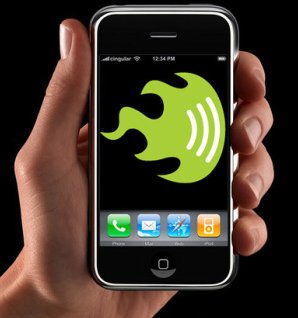
With this FilesAnywhere app you can view, share and manage your remote files directly from your iPhone. As the name suggests, it allows you to share any and every type of file or document, be it Photos, Microsoft documents, movies, slideshows, presentations or entire folders - any type or size of file can be shared in seconds from any computer. And the ability to use the optional Windows or Mac client app to sync your desktop files to your online file storage on your iPhone makes it flexible and easy, beyond doubt.

Besides a bunch of features that are standard for any online storage, FilesAnywhere comes with some other cool capabilities like Automated Login, Zoom in/Zoom out feature on all file types, and the ability to send faxes to any machine in the world using your iPhone!

Right now, you can download this app and a 1GB account at www.filesanywhere.com completely FREE! The Catch - You have to login once every two months to keep your free account active. Of course, once you try it, and like it, you can always upgrade to larger plans available online from 2GB to 500GB, as well as multi-user group accounts. I think its a great offer to try out, especially for people like me who love to share stuff through gadgets, plus, you get the benefit of a secure online storage available with free live support! So what are you waiting for? Go ahead, and download this right now!


Read more!

Shop Till You Drop!

The economy may not be as stable as people had expected, yet Consumer sales soared high in the month of May! No one knows why, but maybe because its human nature never to be depressed for too long, so a little bit of shopping can definitely lift your spirits! And unsurprisingly, most of the shopping is not done in the malls or stores, but rather, its all done online, because Yes, that is indeed where the best deals are hidden! PC and Video Games are on the top of the list for summer gifts for children. Luckily, I found ShopWiki, a cool website that lists out all your shopping site options, just like Google, so you get the widest range of choices and prices. Thanks to the competition, companies and online stores are offering several deals on the games and consoles, so you might be in for a treat as your target budget may just go down quite a bit after browsing this list!

Xbox 360 consoles are already dirt cheap in the US. But Microsoft just announced Dell coupons dropping the prices of the Xbox 360 Arcade, Pro, and Elite Holiday Bundles by $30 (now $169), $50 (now $250), and $70 (now $330), respectively, just in time for the holidays, that too with free shipping and either one or two free game tossed in for grins. Hurry now, the offers expire on Monday Thursday, October 23rd and it's not like you can afford to take the family to grandma's house this year anyway.

ShopWiki is a revolutionary site for shopping since it actively seeks out every store on the internet by crawling the web, bringing you the best deals available anywhere. And while there are several things to catch your eye, I really loved their deals on latest PS3 games for as low as $30 bucks!!

Another great thing to try out is Auctions - search for Wii Games Auction, and you'll see great savings on bundled games that you'd never ever find in any store. And what better way to ask for deals but from the experts who breathe, eat and talk games 24/7! Again, ShopWiki will be a good option to try - you'll find some great first-hand tips on where to buy, what to buy, and for how much!

They also have a cool feature where you can filter out the results by price and brand, so you can narrow down your listings. The plenty of related product guides will answer most of your questions if you are not a hardcore Gaming fan, and need some ideas and inspiration! They also have a section on top-rated games, so you know what's "in" these days. Just choose one that fits your budget and you are good to go!

So what are you waiting for? HOp along and buy a little something for yourself, or for your loved one. Gifts go a long way in making someone smile, and its something especially endearing in tough times like these, don't you think!


Read more!

Hyperic - For Web App Management

With the growing market in web applications, it becomes imperative to find a consolidated tool that manages web apps in a more complete and organized way. For those seeking a nice alternative to their age-old solutions, Hyperic is a serious consideration. And what's even better, after being named as one of the fastest growing web-app companies, Hyperic has now been acquired by SpringSource, a name known to many in the tech world as the leader in Enterprise java and Apache Tomcat!

Hyperic provides complete, easy-to-use monitoring and management software for all types of web applications, whether hosted in the cloud or on premise. No matter how custom-built your web applications are, Hyperic is designed to give you a perfect-fit, scalable monitoring and management solution. With customer names that include MySQL, Red Hat/JBoss, IBM, VMWare, Citrix, Unisys, and dozens more, you can be rest assured your company's data is in good hands!

Hyperic monitors and manages your applications and infrastructure 24x7 ensuring the shortest downtime, and immediate notification of performance degradation or service unavailability. Through a variety of flexible and advanced alerting conditions, triggered actions and escalation schemes IT and web operations teams can feel confident that their applications and infrastructure are performing optimally. HQ automatically discovers, monitors, and manages software and network resources, regardless of type or location. For more details, visit their website, which clearly shows why Hyperic would be a great choice!

So if you are someone who deals with Tomcat a lot, it might be worth a few minutes to check out Hyperic's solution, irrespective of where your data resides - a data center, a virtual server or a cloud. For complete Enterprise security, analysis and reporting, there's no better name than SpringSource.


Read more!

CheckAppointments - Online Appointment Calendar

I always used to think that companies or small businesses, or doctor's offices could save so much cost and overhead if they had an automated system to maintain appointments, rather than have an office staff keep a tab on all of them, making new appointments, rescheduling them, as well as calling people 24 hours before, reminding them to show up for the same! Finally, I am so happy to see checkappointments.com, an online tool that does just that, and much more! But the best part, its FREE!

Check Appointments is basically an online Automated Scheduling software, that takes the burden out of an individual on manually setting up and keeping tab of appointments. It is specifically designed for small-business owners or individuals, and is more like your personal website, where your clients or customers can login, enter their details, view availability of schedule, and book their own time slots. Appointments can be booked for a year in advance, and the software sends a confirmation email once the appointment is confirmed. not only that, it also sends a useful reminder to your clients so they know when to show up!

Its a not-very-fancy, yet pretty useful application, that comes with all the necessary features. Its safe and secure, and can be installed and managed from anywhere, as long as you have internet connection. The ease of use and ability to navigate are other plusses. They have a complete list of features, as well as an Online Demo that would walk you through the process. For a free software, it definitely bundles quite a lot, including online support! So hop over and give it a try - there's no charge to sign up, and you might just find it handy in scheduling your appointments, whether they are with clients, or with your favorite friends!


Read more!

BerryStore - One-Stop-Shop for Cool Blackberry Applications

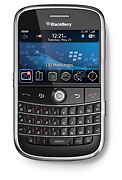
blackberry-appsAs RIM prepares to open its Blackberry Application Center to answer the iPhone’s App Store, an unaffiliated startup called the BerryStore has already launched a competing app store for Blackberry Apps. What makes it better than the official BlackBerry App Center (besides the name), is that apps in the BerryStore work across both old and new BlackBerries alike and across carriers. The BlackBerry Apps center, in contrast, is designed to be a carrier-specific store, with different apps for different carriers.

You can download the BerryStore as an app itself by visiting www.berrystore.com on your BlackBerry. (The App Center will require users to download apps through their Blackberry browsers, which is not the best experience). Already there are about 40 apps in the store, ranging from Loopt, 3Jam, and TwitterBerry to Obopay, Citysense, and Google Mobile. All of them are currently free, although the company plans on offering paid apps in the future. Here is a short list of Apps that I found interesting:

Books & Reference
NeoReader: Turns your Blackberry into a barcode scanner.
Blackberry Wiki: Wikipedia reader.
Beyond411: Yellow pages, maps, and directions.
MobipocketReader: Mobile e-reader.

Business & Finance
Obopay: P2P payments.
Bank of America: Manage your dwindling bank account.
NyTimes DealBook: A bookmark icon to the popular blog.
E-Trade Mobile Pro: Manage your dwindling stock portfolio.

Lifestyle
Google Mobile: Search, Maps, Gmail.
Opera: Opera Mini Web browser.
Zumobi:Mobile widgets.
Google Mail: As in Gmail.
Poynt: Local search.
Maufait InstaFind: Al-in-one 411, flight tracker, movie showtimes, stock quotes, weather, news.
Puretracks:Mobile music store.
Tellme: Voice-enabled GPS info.
reQall: Voice-to-text recorder, to-do list, and idea manager.
Nobex Radio Companion: Shows you the name of the songs playing on the radio.

News & Weather
Viigo: News, sports, entertainment, weather, stock and traffic alerts.
New York Times: Bookmark icon.
ABC News: Bookmark icon.
The Washington Post: Bookmark icon.
CNBC Mobile: Bookmark icon.
USA Today: Bookmark icon.
Slate: Bookmark icon.
PinStack.com: Forums

Social Networking
TwitterBerry: Mobile Twitter client that avoids SMS charges.
3jam: Group text messages.
eBuddy: Instant messaging app
Dexrex: Archives your text messages.
Pinger: Voice IM.

Sports
Sports Illustrated: Bookmark icon.
ESPN Mobile: Bookmark icon.

Travel & Navigation
Google Maps: What it sounds like.
GPSed: Map your GPS tracks, save them, and share them. Also geotags your photos.
Citysense: Live hotspot tracking.
WorldMate Live: A personal digital assistant for travelers

So all those Blackberry users out there, who've been tired and jealous of all the cool iPhone apps, here's your chance to show you off what your new blackberry device can do! Check out the BerryStore, and get ready for a wave of cool Blackberry Applications coming your way!


Read more!

Another Affordable Web Host to Consider

IMhosted.comEvery website-owner, whether big or small, knows the importance of choosing a good and reliable web host. Names like Go Daddy have become legends, and even Google has partnered with a few domain-name providers to enable Custom Domains. Another player worthy of mention is "imhosted.com" Choosing an affordable web hosting can be a very daunting task at times, but it is also the most important one. I particularly like this new web-host, for its affordable prices and a bundle of services that they offer!

They offer domain names for as low as $6.95, and the smallest bundled package starts at $30. It uses powerful dual-quad-core enterprise servers with multiple GIGe redundant network connections,providing reliability and speed. Most web hosts just ell you the space, then disappear from the scene; you are left with the burden of designing everything yourself, or choosing from the simple sample layouts that they offer. But IMhosted is different - it provides everything you need to get your business or blog onto the Internet. From establishing your online presence on the Internet to hosting, storing, promoting, and maintaining an industrial strength eCommerce site, they have a comprehensive suite of services. it's especially good for newbies who have no web-development experience as a 24/7 live online support is always there to answer your questions!

They have a cool bundle of services, with packages like regular, Gold & Premium, for different needs. I really liked the Submit-Pro feature that they offer; it's often hard to get an initial page Rank for your site, but with their service, you can submit your website to some of the biggest search engines for a considerably small fee!

They also offer all the standard services that people have been used to like Credit-card procesing, E-mail, Online data storage, etc. Check out the detailed services for a better comparison. But what is important is that I found them to be extremely reliable, and offer great customer service. It's hard to start an online business, but its even more frustrating if you start running into problems as soon as you buy a new domain, and there's no one to answer your questions or reply to your emails! I have to say I've had some bad experiences with we-hosts before, but IMhosted.com made it less painful this time around!

Go take a look at their site - check out the list of their clients so you know what you are getting into. They may not be as big as Go Daddy, but they do look promising for their first-rate support and affordable web hosting solution! If anyone has used them, please feel free to share your experiences with us!


Read more!

10 Free iPhone 3G Applications You Need Now

iPhone3G-free-applicationsThe revamped 3G iPhone has everyone buzzing about the cool applications that you can have on your phone, and guess what, while they are great to show-off in front of friends, some of them are actually pretty useful too! Now that the iPhone platform is open to young developers, one can surely expect a wide range of fun games, cool apps, social-networking adaptations for iPhone, and of course, the more important tools for navigation, maps, browsing and search. But not all of them are free, and not all of them are worth it! So here's a list of the 10 free iPhone applications that should start with on your new iPhone. Download them, use them, and tell us what you think! I've left out social networks, as I know you already have them there!

Google Mobile App
This is similar to Firefox 3's "Awesome Bar" for the iPhone. Not only does this search-bar-on-steroids suggest popular query matches for you once you type in a few letters, but it'll also search your phone for any contact names that start with the same few letters. Tapping a search result launches it in a browser window, and tapping a contact name lets you message or call them. The program’s Search with My Location feature taps into the iPhone’s ability to detect your location in order to help you find businesses near you. Easy to use, and backed by Google's tried-and-tested search quality, this is definitely the first thing you need to have on your iPhone.

Evernote
This is the best application for taking, storing or reviewing notes. You can take notes either by typing them, taking a photo or recording your voice. The best thing about it is the web component which allows you to synchronize your notes and access them from where ever you happen to be. You can use Evernote for lists (to-do, shopping, etc), expense tracking, and more. Check more detials on their website.

Pandora's Music App
Thanks to the iPhone version of Pandora's free music Web site, you may never need to use the iTunes Music Store again...just as long as you like your music to play randomly. Just enter an artist's name, press the Create button, and listen as your selected artist and similar-sounding acts play in no particular order. If you already have a Pandora account, the Pandora iPhone app lets you access your preexisting stations and even sends your listening data to your Facebook profile automatically. One fun use for this app: Put your iPhone on your bedside table and have it play your custom stations through the phone's on-board speakers--it sounds like a clock radio playing all your favorite acts. Surprisingly, this music-streaming app works without a hitch even at EDGE speeds.

Truveo Video Search
Trying to find cool videos to watch on your iPhone? Truveo Video Search lets you find videos from a variety of sites. You can play highest ranked or most popular videos and you can customize the interface with your favorite categories. You can also share videos via email.

Loopt Mobile
This is a location-aware social network that will help you connect with your friends while on the go. You can also use Loopt to discover and explore nearby places and events recommended by your friends and other popular services like Yelp. its good to know that their service is entirely opt-in, and only approved users can track your whereabouts. More for young teenagers, but then, they are the biggest clientele for the new iPhone too, right?!

Remote App
The free Remote app lets you control your iTunes library or on-screen Apple TV action directly with your iPhone via a Wi-Fi connection. Once your iPhone establishes a Wi-Fi connection, you simply select your iPhone from iTunes' 'Devices' list, enter the four-digit passcode on your iPhone's screen, and use it as a touch-screen clicker. It worked seamlessly in my tests with iTunes.

NYTimes & Mobile News
If you are a news-junkie, and would love to remain in touch with what's happening around the world, you need to get the NY Times and Mobile News ; between these two apps, all your daily dose of news fetching and sharing is covered! NY Times has content from the New York Times, classified into a number of sections, including Latest News, Business, Opinion, and a Photos section where clicking on an image will take you to a story associated with that image. Stories can be read in either portrait or landscape mode, and the summary page for each category shows headlines, a small portion of the article, and a photo. Mobile News gives you the ability to set up a number of locations for local news. By default, it will set up your current location as one of your locations, and you can easily add others, read saved stories later, or flip between multiple locations. At the bottom of each news story, there are four buttons—you can SMS or email the story to a friend, actually send in a report on a story if you have personal experience to add, and a button to save the story.

eReader
If you are an avid reader who likes reading on the phone-screen, this is a must have app for someone like you. Even if that's not something you do often, you could read something while commuting in a public transportation or waiting in some queue. I often wonder why Apple did not pre-load a similar eReader app itself? maybe there' room for iPhone-3!!:) Anyways, for the time being, the eReader app, courtesy of FictionWise, is going to be available for free at the iPhone app store.

SportsTap
If you are a sports-freak like my husband and need to be up-to-date with the latest buzz, SportsTap is totally for you. Be it MLB, NFL, NBA, international soccer, NHL, car racing, NCAA, PGA, tennis, or anything else, SportsTap covers them all--it's a nice free app that will put these at your fingertips. The interface is clean and intuitive, and the scores load fast, even on EDGE. SportsTap doesn't allow you to select a favorite team or teams to keep an eye on, but even so, the score you're looking for is always a couple of taps away.

WeatherBug
This is not an absolute necessity, but these days, the Global Warming is making it very difficult to predict weather based on seasons! So the WeatherBug can help you get satellite weather maps, current radar, detailed forecasts, weather cameras, and severe weather alerts. You can get weather from 45,000 locations all over the world. A weather junkie's dream, if not yours!

The iPhone is not longer a phone; its a device that replaces your mobile phone and your laptop. With hordes of free applications to choose from, it can be hard to decide what you wan the most. Hope this list helps you find a beginning, and do share with us more iPhone apps via your comments!


Read more!

Zoomii - Amazon's new Virtual Bookstore

zoomii-amazon-bookstoreWe all love buying books online, as its convenient, and you can share user reviews and opinions, and of course, get the best deals! And I'm pretty sure most of us turn to Amazon for our online bookstore needs. And now Zoomii, the latest addition to Amazon's virtual bookstore world will make it a more real-world library-like experience! You have to admit, there is some charm to traditional libraries, where you can browse through aisles of books arranged neatly in bookshelves, and Zoomii tries to recreate that magic. If you often shop for books online, Zoomii is something you'd want to check out!

Zoomii is a visual bookshelf browser for over 19,000 books from Amazon's catalog, though it can search for over 162,000 titles. Instead of browsing through flat lists of book titles and their cold statistics, Zoomii stacks books in shelves alphabetically by author, organized by type. You can click and drag across Zoomii's landscape of shelves, zoom in and out with your scrollwheel, and click a book's cover for basic statistics from Amazon, including the ability to add the book to your cart or wishlist. I'm not too sure how Zoomii picks the books that stock its shelves, but some kind of system that picks through a combination of top sellers and new releases is a safe bet.

The home page looks like Google Maps, except for books! with a simple scroll and zoom wheel, category tab, search tab, and a short view of your shopping cart, it is pretty simple to navigate. Use your mouse to browse around, jump from one shelve to another, zoom in/out, add items to your cart, add books to your wish list and so on. The categories are aptly sorted so its easy to browse and search for a particular title. The Zoom-in and Zom-out feature is really cool! You get to see the book cover, pretty much the actual size, and a click will take you to a detailed description of the book. Then if you like it, just one click will add it to your shopping cart and after you are done with all your books, use Amazon's trusted store to process your order! They also have a shelf full of best-sellers for each category, just like your local library. Check out this cool Zoomii Video for a better understanding of the features.

Nothing much changes as far as the book selection and purchase is concerned; but it does bring a flair to the process of browsing and selecting books. I agree, its not a show-stealer, but Zoomii does have the potential to keep visitors engaged for a longer time, which is indeed a very important aspect of e-commerce! On the downside, the site does not support AJAX, hence you'd get used to a lot of "clicks", rather than "mouse-overs"; and there is a limited database yet, but I'm hoping Amazon will be updating it soon. it runs pretty slow on Firefox 3, but is fine with other browsers, so you may want to avoid the former!

Overall, Zoomii is a nifty addition to Amazon's attempt to provide more to their customers through the virtual bookstore, but it fails to dazzle. Except the interface, nothing more has been added. A few more features and faster load times could help Zoomii get more following. Its a nice idea, but not extra-ordinary, that's all I can say about Zoomii!


Read more!

Olumpus Stylus Review - The Waterproof, Shockproof and Crushproof Camera!

Olympus Stylus 1030 SWI love taking photographs, and though food photography is my latest craze, both me and my husband are avid nature-lovers, and often take short trips around California, armed with a backpack, our Camera and Tripod! But as we do indulge in a lot of water-sports, I have been on the lookout for a good-quality waterproof camera for some time now. After several days to compare digital cameras, the latest Olympus Stylus 1030 SW looked like a good bet for the features and the price! Olympus has always been struggling to attract consumers, especially as Sony & Canon are unanimous leaders. But with this new waterproof and shockproof camera, I think they do have a chance!

When buying a new point-and-shoot camera, its imperative to compare them with other competitive models, and size and sturdiness were a major factor for us. The camera measures 3.76 x 2.26 x 1.08 in./95.4 x 57.3 x 27.4mm and weighs around 5.47 oz./155g. The 1030 SW is the latest in the Tough range and allows underwater shooting up to 10m, or 40m with the optional 3 underwater modes. It is also shockproof and can be dropped from a height of 2m without suffering undue damage, while its crush-proof credentials allow it to withstand up to 100kg. To top that, the case is also scratch-proof. Finally it's freeze-proof to a temperature of -10°C.

The Olympus Stylus 1030 SW is a 10 megapixel point-and-shoot digital camera features built-in flash, 3.6x optical zoom; the lens is a folded optical design, meaning its zoom is situated internally and doesn't extend from the case, using a periscope-like design. The zoom covers the equivalent of 28-102mm, making it one of the wider zooms on the market. it has a 10.1MP sensor allowing low light shooting with a top ISO speed of ISO 1600, and uses digital image stabilization. The True Pic Turbo III processor controls colour rendition, sharpness and noise reduction as well as faster processing for multi-burst shooting. On the downside, it lacks the true Optical Image stabilisation, and also the Custom White Balance, but unless you really care for these, they should not turn you off!

The new Olumpus Stylus fits the bill for a tough, rugged digital camera in the ultra compact digicam choices. The camera produces very good images that are colourful, pleasing, richly saturated with good exposure, and noise is generally low. What I liked the most about it is that is it crushproof!! That makes it perfect for outdoor activities and adventures. But its a good practice tocompare digital cameras to suit your needs, as you may not want to spend $400 on some features that you'd rarely use! However, given the excellent value for money that this camera provides, and the almost endless features, I'd highly recommend the Olympus Stylus 1030 SW, especially if photography is your passion or profession!


Read more!

Honlai MP100 - Palm-sized Mini Projector

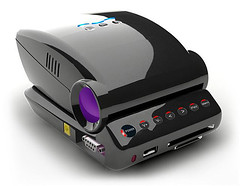
Honlai MP100 mini-projectorAs technology advances, we are moving towards everything "nano", so from a Nano-Car, to a Nano-Projector, we've achieved quite a lot of progress! The latest mini-gadget added to the list of impressive innovations is the Honlai MP100 - the tiny palm-sized mini-LED projector which looks like a bundle of power packaged in a small frame! It looks really sleek and impressive, and is ergonomically designed to look like a mouse, and deftly fit in your palm!

Honlai Technology's latest innovation is the mini projector called MP100, which uses the LCOS micro projection technology capable of throwing an 640x480 image onto a nearby wall or screen, sized between 5" to 37". With the quoted 10-15 lumen specification and a contrast ratio of 200:1, and a 5-watt LED, its not something fancy for a board meeting, and cannot compare to the regular proejctors. But it sure looks like the perfect projector to use if you are the one who does impromptu PowerPoint presentations wherever you go!

The Honlai MP100 is not something that instantly clicks with your geek side, especially when you evaluate it for its use. But I was impressed, because I ahve found myself in several situations where I had something on my laptop which could validate a point or clarify an issue in a meeting, and rather than sharing m,y deskptop with everyone, or making them gather around me while I explain stuff, it would be so cool if I just had the MP100 to project my screen on a wall nearby! Most conference rooms are small, and a 37" proejcted image is more than enough to convey an idea by means of a picture! Plus, this innovation is mainly designed for unplanned and in-promptu uses; if you are makign a business trip for a presentation, of course you are going to use the bigger projectors! But for quick demonstrations, this mini-LED projector works perfectly!

I think I like the MP100 for its sleep design, cool concept, and the easy to carry it in your pocket. If people can think about having a projector in an ink-pen, why not the classy Honlai MP100?? I think as people warm up to the concept of mini-projectors, they can re-design this for better usability and higer capability. No price and release date on this yet, but I'll be sure to update the post when I know about it!


Read more!

Netflix & Roku Team Up for a $99 Set-Top Box To Enable Watching Movies on TV

We all know that IPTV is "not there yet", and the rising cable and satellite prices are killing subscribers. Due to lack of high-speed internet, viewing video over IP has suffered a setback, but more and more companies are trying to come up with similar devices that could help solve this problem. Netflix, the most low-priced online DVD rental service now teams up with Roku to introduce a device which will allow customers to watch movies easily on their televisions without involving mailing DVD's. Starting today, Netflix will begin marketing the $99 device that will allow subscribers to play thousands of movies and shows on their televisions instantly, for no charge beyond their normal subscription fee. With the device no bigger than a paperback, and so attractively priced, I think there's a chance it will lure more customers to the online DVD giant, who's been fighting to re-instate its supremacy with tough competition from TiVo, BlockBuster and more!

The size of a small paperback book, the set-top box is made by Roku, a California-based start-up known for its Internet music players. Netflix, based in nearby Los Gatos, owns a small stake in the company. Netflix already has a large subscriber base, and it has been offering online movies on their computers for about a year by streaming them over an Internet connection. But with this new set-top box, Netflix customers who have plans of $8.99 a month or higher will have access to an unlimited number of movies over the Internet. Just plug the settop to your PC and your TV, and you can view the live-streaming content directly on your TV rather than the small PC screen.

Roku’s box is simple to use. All the settings and sorting through the videos is still done on your PC, which makes it much simpler to handle. And unlike the Apple TV or TiVo devices, the Roku box does not have a hard drive. It plays video directly from the Internet by way of an Ethernet cable or home wireless network. Roku recommends that users have a connection speed of 1.5 megabits a second or faster, because slow connections could lead to buffer problems and video freezing. The device’s $99 price( vs $299 for Apple TV) will most likely attract new customers, though only those who have high-speed broadband connection. On the other hand, the Roku box will not provide music and photos, like AppleTV.

Live streaming of content is the next generation of entertainment, and Netflix is not the only one trying to find its place. Stalwarts like HP, Amazon and Apple are already planning to offer similar or imprved services in the near future. So finally, who will survive and who will fade away all depends on the pricing and the quality and quantity of content that they offer.

With cable and satellite companies trying to expand their video-on-demand services and players like Netflix & Roku offering these kind of services, no matter who wins, its going to be much more affordable for the end-user and we can look forward to many more viewing choices over the next couple of years!!


Read more!

Animated Wi-Fi Detector T-Shirt - Tech and Fashion Sensation

Can you imagine your life without internet and wi-fi hot-spots?? Definitely not, right? well, the only concern would be unavailability of wireless access everywhere. Fret not, my friends, for the ultimate in fashion and technology is here, and you can buy it for simply $30!! ThinkGeek offers an animated Wi-Fi Detector T-shirt that makes your Wi-Fi dream come true. With this cool t-shirt that detects 802.11b and 802.11g networks, you no longer need to open your laptop just to find out a wi-fi hotspot!

The Wi-Fi Detector shirt is a Think Geek exclusive available online for $29.99. The shirt features glowing bars that illuminate as the wearer gets closer to an IEEE 802.11b or 802.11g access point. Inspired by Cingular's "raising the bar" logo, the embossed print on the t-shirt intensifies with proximity to access points and connections; a classic white and blue signal meter on a black background does more to your style too. And what's more, its not just a tech-geek-freak thing, you can remove the peel-off the animated decal from the front of the t-shirt and wear it as a regular shirt. And yes, it can be easily washed too, so don't worry!:) Check out some cool features below:

Glowing animated shirt dynamically displays the current wi-fi signal strength.
Shows signal strength for 802.11b or 802.11g
Black 100% Cotton T-Shirt
Animated Decal is Removable (with hook and loop fasteners) for Easy Washing
Battery Pack is Concealed in a Small Pocket Sewn Inside the Shirt
Runs for hours off three AAA Batteries (not included)

I think its a cool fashion gadget that's affordable too, and will definitely strike a chord with the young generation. Designed precisely for the tech-savvy, this Wi-Fi Detector Shirt will surely win you some deserved attention!! So what are you waiting for? Check it out on ThinkGeek and order one for you today!


Read more!

URWERK unveils UR-202- The first Air-Powered Watch

Remember the small shops in India with the signs "watch repairing"?? well, they might not be around as long as you think; with the fast progress of technology, there's a great chance manual things like these would become extinct in a decade or so. Fancy wrist-watches already have tonnes of features embedded in them like heart-rate monitors and speed calculators- heck, there are watches that play MP3 and video! The latest to hit the savvy watch scene is a German-mde UR-202, an air-powered watch that uses air pressure for automatic winding and synchronisation.

URWERK has released the world’s first watch that uses compressed air to regulate the winding system. The UR-202 features a 3-position selector switch that controls the level of air compression generated by its miniature twin turbines, which in turn control the rate of automatic winding. For now, it's likely the world's first timepiece to use this method of regulating the winding system. And for all this, is actually looks pretty sleek and cool; check out the UR-202 promotional video. There seems to be no price listed, though given its airy stature, you can expect some pretty inflated figures.

The UR-202 features a distinctive time display using telescopic minute hands operating through the middle of three orbiting and revolving hour satellites. The telescopic minute hands precisely adjust their length to follow the three vectors marking the minutes: 0 -14, 15 - 44, 45 - 60. Extended, they enable the UR-202 to display the time across a large easy-to-read, dial. Retracted, they allow for a very wearable and comfortably sized case; thus providing the wearer with the best of both worlds. This classic timepiece is available in red gold, white gold, black PE-CVD Platinum and TiAlN. Check out more details on the UR-202 and UR-103 on the URWERK watch collection It's stylish and suitable for tech geeks and freaks alike!:)


Read more!

A Cooling Car Seat Cover For Your Tiny-Tots

As Summer is around the corner, I am sure most people have plans of road-trips and long vacations, camping trips and more, and most of us resort to car journeys for such family events in summer. But for those of you who have kids in car seats, the summer heat can get really irritating, both for you and your precious kid! But here's a cooling car seat cover that will keep your tiny-tot cool and comfortable throughout the trip so he sleeps like a baby, and you can enjoy your trip as you drive rather than trying to keep him pacified!

As summer is on its way, parents are searching for innovative ideas to keep kids cool during vacations and muggy days. The Cold Seat is the perfect product for parents of fussy infants and young children who hate traveling in hot cars.

Cold Seat is an out of the ordinary car seat cover that can cool off kids during summer road trips or even on short rides around town. With cars' internal temperatures reaching beyond 100 degrees during warm weather, this freezable seat will be a favorable alternative to the gas-consuming A/C option. So how does the Cold Seat work? Simple, just keep the seat cover in the freezer before your next car ride, and then fasten it into a standard car seat. You can then take it on the go and use it for soccer games, bbq events, long trips, theme park outings or at a picnic. When you are done with it, simply roll it up and use its Velcro fasteners for convenient storage.

It sounds really simple and probably not-so-cool, but the refuge it can provide to kids against the blaring summer heat will make it really worthwhile children's product, and will keep you less stress-free too! The Cold Seat is available through its official website, or through other fine children's retailers. So get one for your child today!


Read more!

Forgot where you Left Your Car Keys? - Smart Glasses Can Help!

How many times have you been detained for a meeting because you are in a hurry to leave but cannot find your wallet and your keys?? Or remember the times when everyone's settled in the car and you suddenly figure out that you've forgotten your keys inside and can't remember where you left them? yeah, sounds familiar, right!! Misplacing something is bad, and forgetting where you kept it last is even worse! Luckily for people like these suffering from "short-term amnesia", frustrating incidents like these may finally have found a cure. Japanese scientists have invented a pair of intelligent glasses, or rather "Smart Goggles" that remembers where people last saw their keys, handbag, iPod or mobile phone.

The smart spectacles - which come with a built in camera, display screen and computer brain - can even identify unfamiliar plants or faces. In fact, the only thing it can't help you find are your glasses(ironic, huh! well, at least you need to keep track of just one thing:)) These Smart Goggles are the brainchild of Prof Kuniyoshi at the University of Tokyo. He believes they could revolutionise the lives of people who suffer from regular "senior moments", as well as those suffering from serious memory problems caused by dementia.

The Smart Goggles contain a compact video camera which films everything the wearer looks at - and a viewfinder which fits snugly in front of the right lens. The glasses are connected to a small, but smart computer processor worn on the back which can learn to recognise shapes extremely quickly. To use these glasses, the wearer first wanders around a house or workplace for an hour or so, looking at the objects he or she may later want to find in a hurry. Each time the camera focuses on a object, the wearer should speak out the object's name aloud, which is then recorded and stored into the memory. Once the names have been programmed in, the glasses will try to find the right name for any object they come across. The names appear in small type on the viewfinder. The glasses search its video memory and show its last known location on the display. And if they cannot recognise an object they make a guess and adapt from their mistakes!!

In a demonstration at the university last week, the team were able to programme in the names and identity of 60 everyday objects, including a compact disc, a hammer, a potted begonia and a mobile phone. Prof Kuniyoshi believes the invention could become a useful memory aid for the elderly, as well as for people suffering from Alzheimer's disease and other forms of dementia. The high speed, image recognition technology could also help develop robots or other educational purposes. More sophisticated versions could also help people who are bad at remembering names get through awkward social situations (read "my husband" here!).

But as fancy as it sounds, its a dumb programmable invention, and certainly has its flaws.( like hide or move an object from its original place and your smart glasses won't be so smart anymore) And the prototype version is still too bulky and obtrusive to use, as you can see from the picture above. However, they are trying to shrink the camera and viewfinder down to a more sensible and fashionable size within a few years. For now, its a start, and the concept can be really useful, so we wish them all the luck! But remember to not forget your glasses, or you are back to square one:)


Read more!

Axacore- An Affordable Solution for Document Management and Fax Services

As the enterprise world moves towards Telepresence, Fax and IP for all their telecommunication needs, large corporations may find it difficult to find solutions that are scalable yet affordable and easy to implement. Luckily for them, Axacore provides fax services that totally fit the bill. This is a document imaging and data conversion software engineering shop with a mission to develop tools that make capturing, delivering, digitizing and archiving paper documents faster, easier and more affordable. Many traditional fax-based vendors have abandoned efforts to advance their technologies, but Axacore has found a niche in the market providing archiving and search and retrieval capabilities in document intensive environments.

Axacore offers two solutions: FaxAgent and XDOC, which cater to fax software and document management respectively. Talking about FaxAgent, this is a software/hardware solution designed to track, manage and deliver fax traffic over enterprise networks of any size. It automatically indexes incoming and outgoing documents and users can quickly retrieve specific faxes by conducting targeted searches. FaxAgent’s .NET architecture and SQL scalability make the product an attractive option for any IT professional seeking a fax server solution. It also offers some really useful features like the ability to send faxes directly over IP, and the ability to have unlimited user accounts and profiles, alongwith security and system tracking, to name a few.

XDOC, on the other hand, compliments the fax-software by facilitating the document management part including scan, fax, print and upload, all through a broadband internet connection. The web-based design needs no client installation, and also offers scalability and higher standards over the past solutions. It comes with Advanced Imaging options, authenticated accounts, faster integration and tonnes of other features that you can check out on their website.

I think Axacore has succeeded in terms of innovating the age-old fax and document management model, and no wonder it won the Editor's Choice Award in the Network Computing Magazine. It is a class-apart form the traditional software we've been used to handling, and affordable too. It can surely be an efficient and cost-effective solution for big or small companies, so go check it out!


Read more!

Google Sites - A Nifty Addition to the Free Google App Services

In this global environment where most businesses and corporates have teams spread world-wide, having a team portal where you can add, edit and share your ideas and information is extremely important. Lots of people have been using Sharepoint for this purpose, but Google throws an addition to its Enterprise Management offerings by launching Google Sites! Check out the key features with which it plans to attract an audience.

Google today introduced Google Sites, an application that makes creating a team web site as easy as editing a document. With Google Sites, people can quickly gather a variety of information in one place – including videos, calendars, presentations, attachments, and text – and easily share it for viewing or editing with a small group, their entire organization, or the world. With Google Sites, anyone can create an entirely customized site in minutes and invite others to contribute. its like adding an "edit" button to the web. It is based on JotSpot technology and is available in the Team, Standard, Premier, and Education Editions of Google Apps.

Creating and editing a set of pages requires no knowledge of HTML or web design skills. People can start a new page with one click. Adding content is as easy as clicking the edit button. Sharing is as simple as sending an invitation. All content is instantly searchable, and Google Sites is accessible through any web browser.

Anyone inside an organization can begin using Google Sites by signing up for Google Apps communication and collaboration services through Team Edition. After verifying their business or school email address, people can instantly invite others to join, or easily identify people within their organization already using Google Apps.

Some basic implementations with Google Sites include:
- An intranet to centralize company information
- A team site to manage a project
- A profile site including an individual's resume, areas of expertise, and goals
- A virtual classroom to post homework assignments, class notes and other resources.

Google Sites is secure and scalable, and maintains a version history. It requires no hardware or software to buy, install, or maintain. Additional features include embed content from other Google products, upload files of any type and customize a site's look and feel.

With Google Sites, the giant is entering an arena that is already dominated by a few. And yet, bundling up all the office apps has been Google's dream for quite some time, and also an answer to Microsoft's Office. I'm surely going to try this and see for myself. It sure looks easy, just like the rest of the Google services, and it also combined all the services in one neat little page! Try it yourself and come back to share your experience!


Read more!

Domain Registration and its Importance

We all know the importance of having your own domains for hosting your sites. Having your own domain is important when you’re building a web presence and choosing where to register your domain is even more important. A custom domain provides you with complete control over your site and also offers way more services than any free web hosts. A lot of people try to concentrate only on ".com" domains; but if your site or the products and content is targetted towards a specific country or region, it is preferred to go for the country-specific domain names. They may actually perform better than you think!

You also want to consider how much you want to pay for your domain registration and what country you want to target for your website. US has always been the primary audience, but lately, India, Australia and UK seem to be the growing choices. Unlike popular belief that .in or .au domains might not work as great as .com, it actually makes sense to use these because they can be purchased and maintained for a lesser amount of money, and you have a btter chance of reaching a specific audience. And if you are looking for a more affordable domain registration service, take a moment to check out paylessdomains where you can buy a variety of domain names(specially Australia). They also specialise in domain transfers and renewals, and offer a bunch of free features.

Having your own domain means you can add a lot more to your website like contact emails, forums, technical support, online shopping tools, a backend database, huge storage space and more. Just imagine how much more you could do to interact with your audience! I am seriously considering buying one or two for myself. And if I don't end up using them for myself, there might be a chance that someone would buy it from me:) Either way, works for me, right?! You can still maintain a blog alongwith your site so you get the best of both the worlds. What do you think??


Read more!

Solar Laptop Charger Bag - An Efficient Way to Charge your Laptops and Electronic Devices

The Go-Green culture is picking up with the rising awareness of depleting natural resources and the growing Green House effects. Turning towards renewable and natural sources of energy has become the need of the hour. Voltaic Systems recently announced a Solar Laptop Bag at the CES 2008(Consumer Electronics Show) which could be a real blessing as Laptops remain to be the most power-consuming devices in this world! It uses high efficiency solar cells to generate maximum power in the limited space available, and it can also charge cell phones and most other hand held electronics.

The Voltaic Generator is the first solar bag powerful enough to charge a laptop. It is so designed that the solar panel generates up to 14.7 watts of energy from a day of direct sunlight, which is sufficient to fully charge a laptop. The included battery pack efficiently stores the equivalent of a typical laptop charge and automatically delivers the required output voltages to the device. Common adaptors are included for easy connection to laptops, phones and other handheld electronic devices also via USB or car-chargers.

Other features of the Solar Laptop Bag include capacity to hold up to a 17" laptop inside a protective case. The bag fabric is made from recycled PET (soda bottles), which is tough, water resistant and light-weight. Experts believe that a 14-watt panel will be good enough for charging a laptop when it is not in use. But running it directly from the sun would require larger, and more expensive panels.

However, it looks like Voltaic Systems has done a good job of providing an alternative solution to meet the need, and it definitely ties well with the Green Products Theme. They plan to sell it by the spring of 2008, and the expected starting price would be $599.


Read more!